
Zendesk to HubSpot Service Hub migration
How does the Zendesk to HubSpot migration process work?
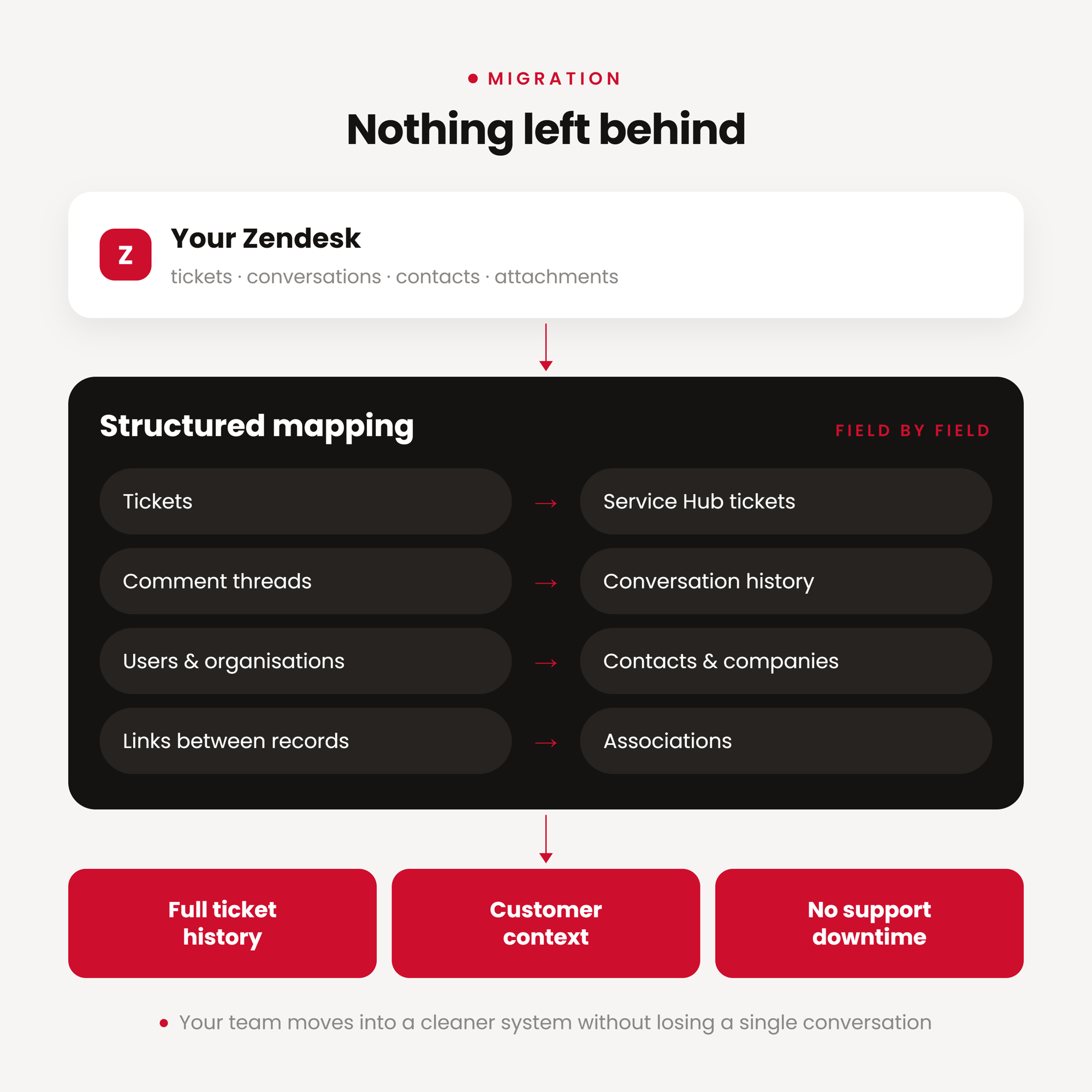
A Zendesk to HubSpot migration moves your tickets, contacts, conversations and workflows into HubSpot Service Hub while preserving full ticket history and customer context. A structured migration maps your Zendesk fields to HubSpot properties, runs a test migration first, and validates every record before go-live, so your support team keeps working without disruption.


The consolidation of our customer service desk into HubSpot has given us a 360° view of every client interaction, dramatically improving response times and customer satisfaction.
Angus, J.
HubSpot Marketplace review
Bring your support history into HubSpot
Migrating from Zendesk to HubSpot Service Hub does not need to disrupt your support operation. A structured migration preserves ticket history, customer conversations, contact records and the associations between them, so your team keeps the context they rely on. You move into a cleaner, connected system without losing a single conversation.
How does the Zendesk to HubSpot migration process work?
A successful Zendesk migration depends on careful data mapping, testing and quality checks before anything goes live. A typical project runs 4 to 12 weeks, depending on ticket volume, custom fields and the number of automations to rebuild.
The process usually includes:
- Scoping your Zendesk setup: tickets, fields, macros, triggers, SLAs and help centre
- Mapping Zendesk fields to HubSpot properties
- Migrating tickets, contacts, companies and conversations, with associations intact
- Rebuilding automations as HubSpot workflows
- Running a test migration and validating data, workflows and ticket visibility
- Going live, with both systems available during the switch
The result is a cleaner Service Hub with your history preserved and fewer risks along the way.
What moves when you migrate from Zendesk to HubSpot
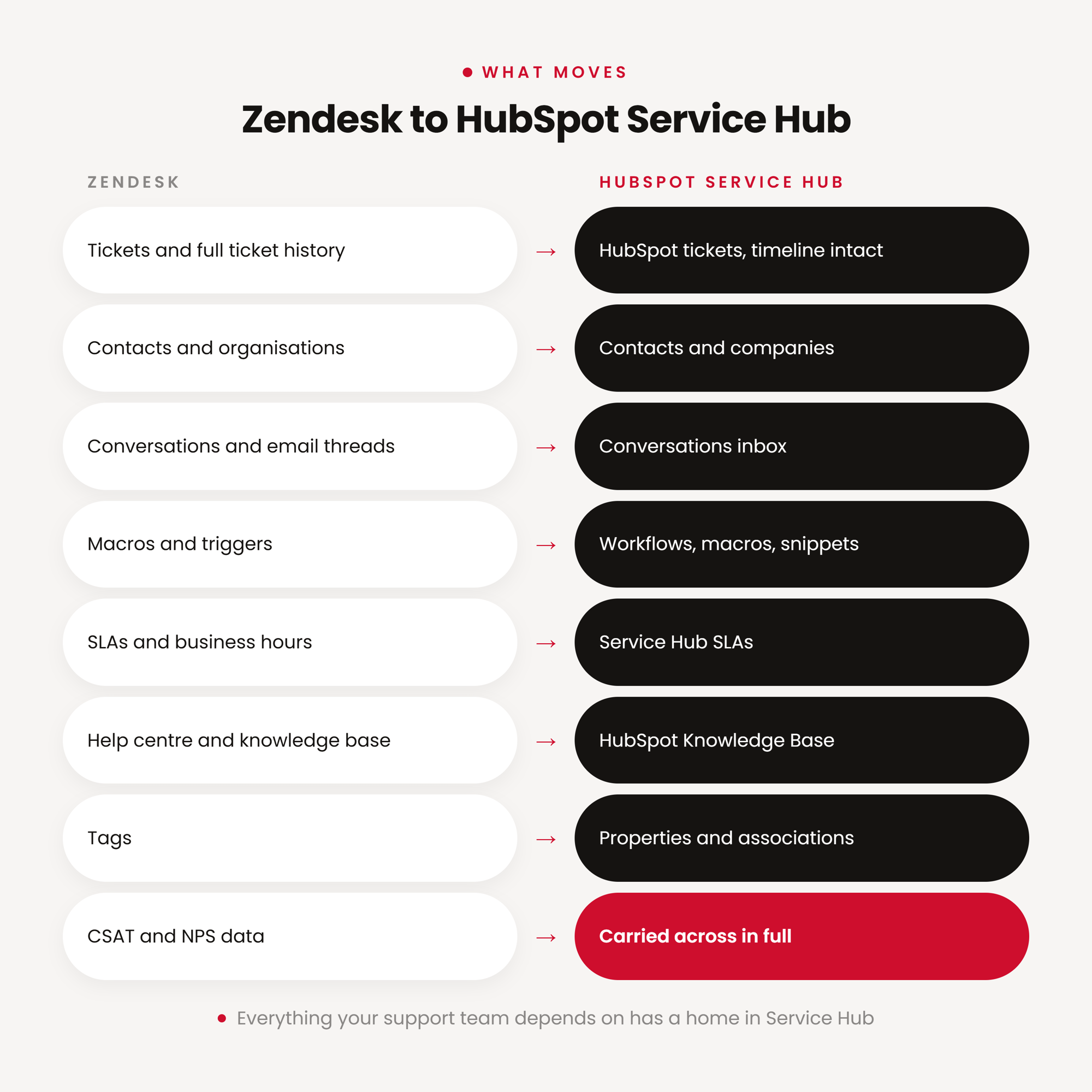
Everything your support team depends on has a home in HubSpot Service Hub:
- Tickets and full ticket history, moved into HubSpot tickets with the timeline intact
- Contacts and organisations, mapped to HubSpot contacts and companies
- Conversations and email threads, into the HubSpot conversations inbox
- Macros and triggers, rebuilt as HubSpot workflows, macros and snippets
- SLAs and business hours, into HubSpot Service Hub SLAs
- CSAT and NPS data
- Help centre and knowledge base, migrated into HubSpot Knowledge Base
- Tags, mapped to HubSpot properties and associations
Better support in Hubspot
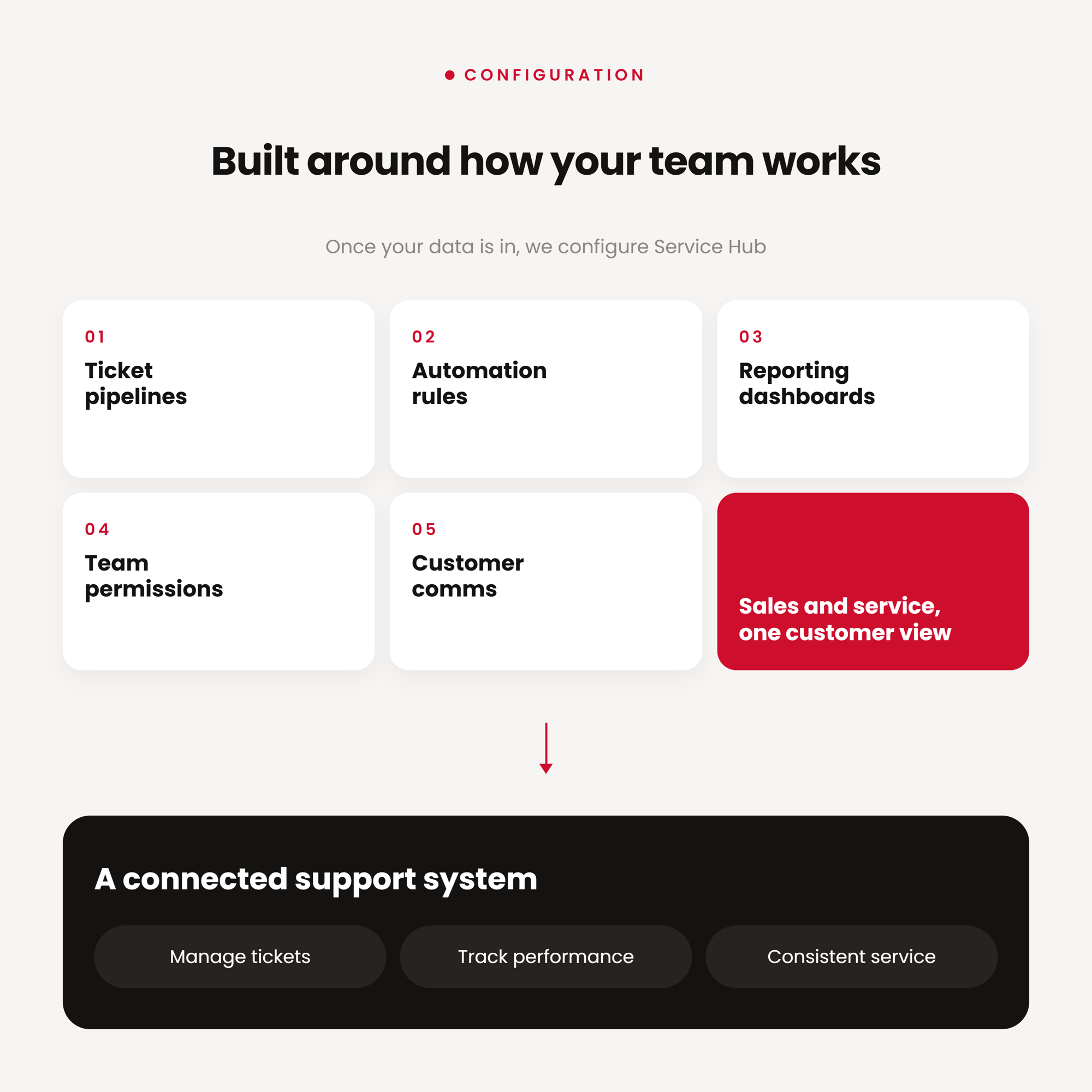
Once your data is in, we configure Service Hub around how your team actually works: ticket pipelines, automation, reporting dashboards, team permissions and customer communication workflows. The result is a connected support system that helps your team manage tickets, track performance and deliver more consistent service, with sales and service finally sharing one view of the customer.
When do you need a Zendesk to HubSpot migration?
When your support team needs more than a standalone ticketing system. Moving from Zendesk to HubSpot connects tickets, conversations, customer history, sales activity and reporting in one CRM. It is the right move when you want service and sales on the same platform, cleaner reporting, and lower tool costs.
Ready to move off Zendesk?
Move your Zendesk tickets, contacts, conversations and workflows into HubSpot with zero ticket loss.
Got questions
Others frequently ask…-
No. A structured migration preserves your full ticket history, including conversations and the associations between customers and their support records, so nothing is lost in the move.
-
Most migrations take 4 to 12 weeks. Timing depends on ticket volume, the number of custom fields, and how many macros and triggers need rebuilding in HubSpot.
-
Yes. We rebuild your Zendesk macros and triggers as HubSpot workflows, macros and snippets so your team keeps the shortcuts and automations they rely on.
-
We migrate your help centre articles into HubSpot's Knowledge Base.
-
Yes. Both systems stay available during the switch, so your support team keeps answering tickets while data is migrated and validated, with no gap in coverage.