
Trusted by teams all around the globe





Built for teams who live in their inbox
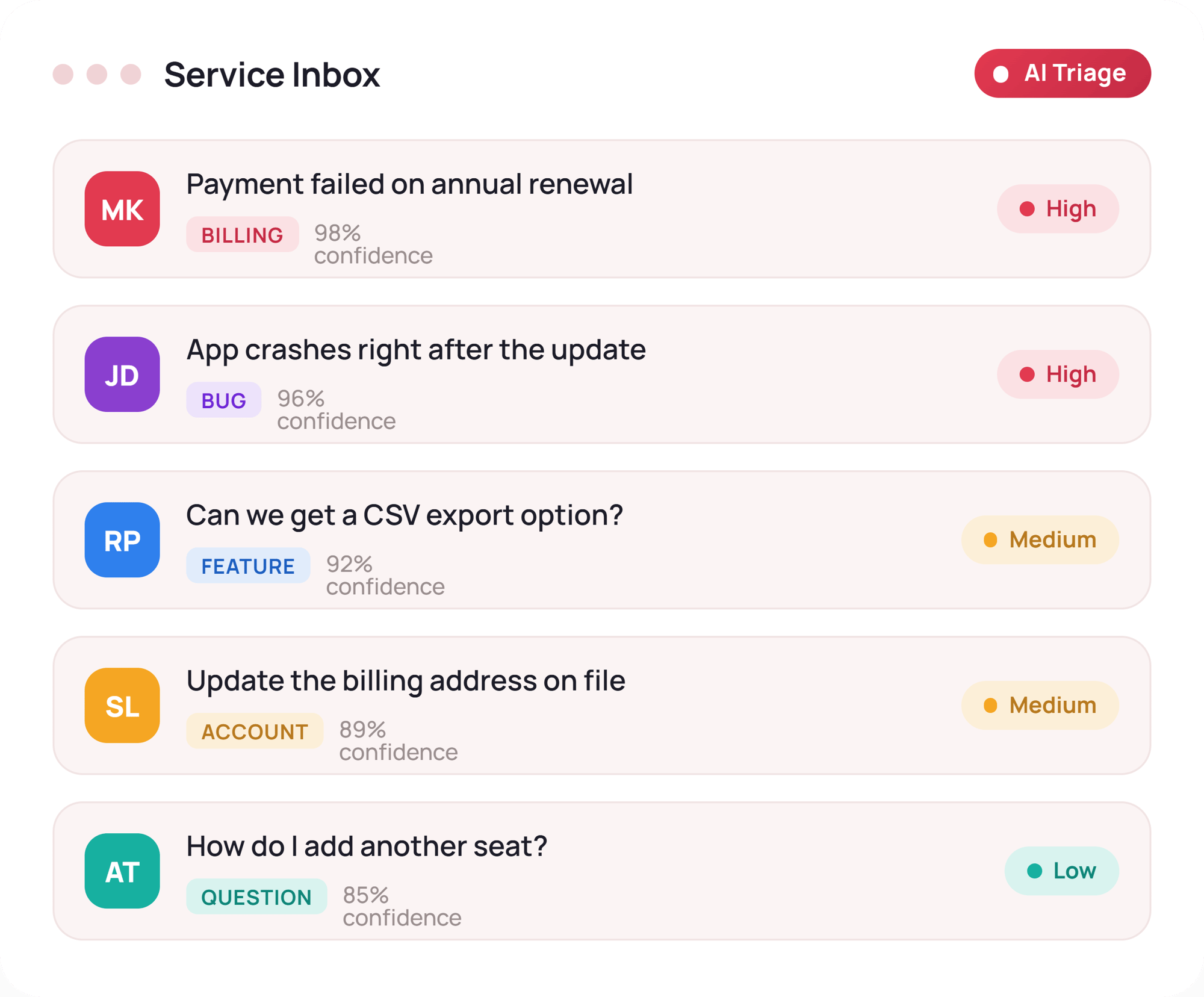
Whether you run support, sales or operations out of HubSpot, AI ticket triage means every message arrives pre-prioritised, categorised and summarised — before anyone opens the inbox. Here's what's inside the playbook:
Use the fill-in worksheet to calculate what manual sorting costs your team.
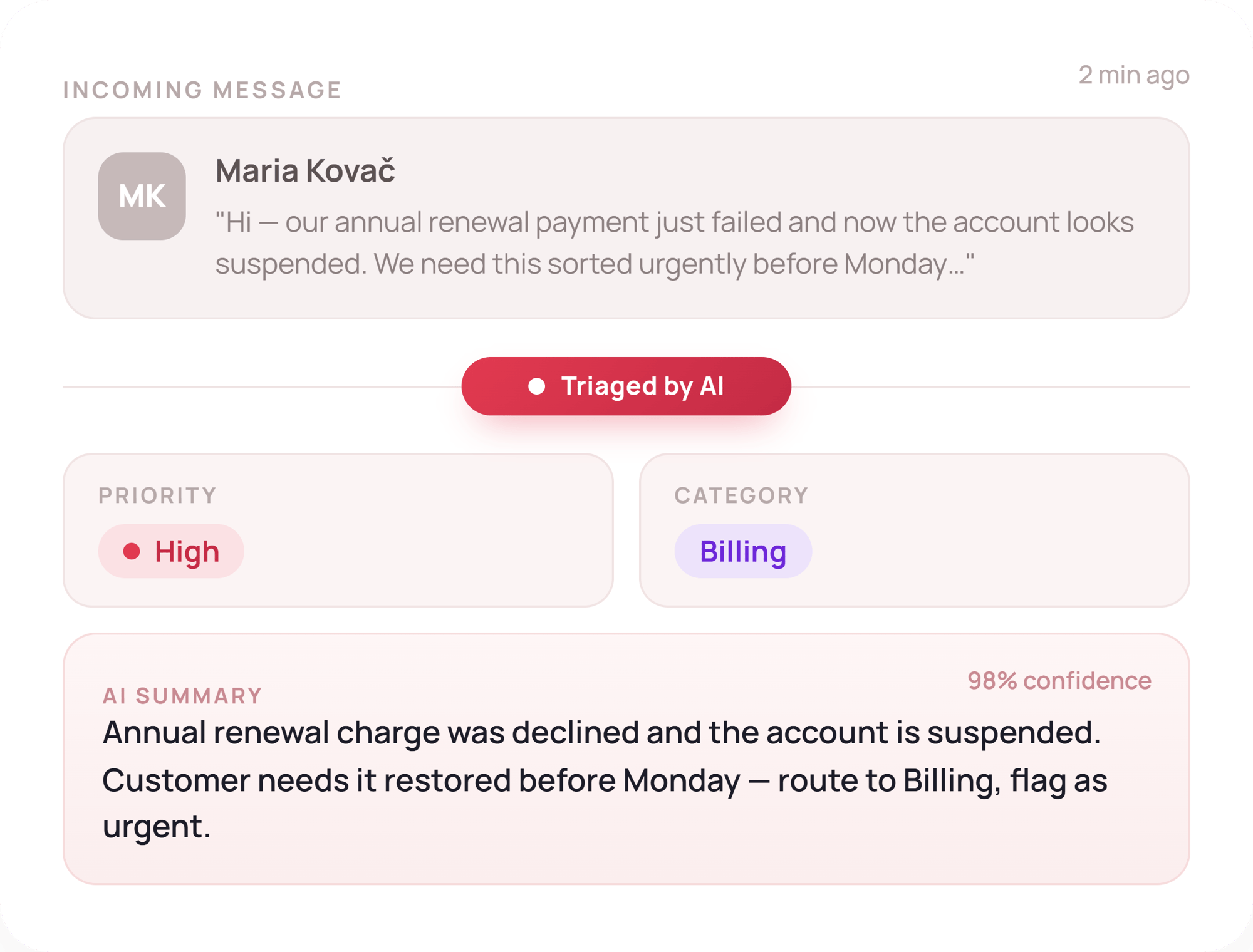
Understand the architecture behind a production-grade system: a closed label taxonomy, injected business context, multi-signal prioritisation, confidence scoring with human escalation, explainability, and native HubSpot workflow integration.
See the same ticket travel through a manual queue and an AI triage engine — including the actual classification output — and why a polite email hiding a hard launch deadline gets caught by context, not keywords.
Built for speed
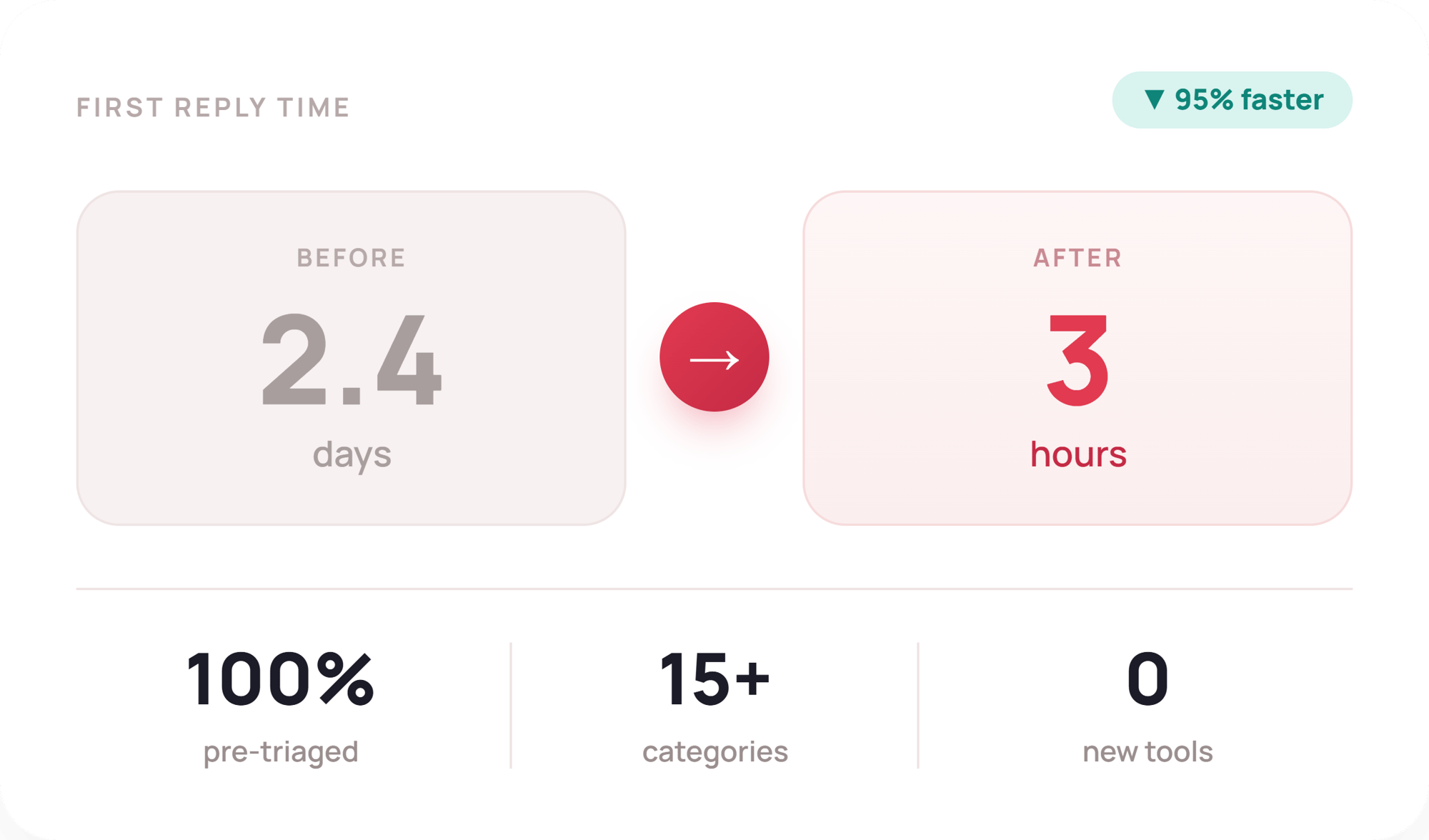
This playbook gives you the frameworks behind a real AI triage build in HubSpot Service Hub, including the specification and self-diagnosis tools to scope your own.
-
The triage cost worksheet
-
The 7 questions every classifier must answer
-
A 10-point self-assessment
Frequently Asked Questions
We ask for your contact information so we can (a) send you the playbook PDF and the self-assessment scoring guide; (b) share occasional practical insights on HubSpot automation and AI triage; (c) let you know about future Uspeh resources and events. Your information is handled in accordance with our privacy policy and we respect your inbox.
Yes, completely free. It's based on a real build — an AI triage engine inside HubSpot Service Hub that cut first-reply times from days to hours — and we're sharing the architecture and diagnostic tools so you can scope your own. No hidden costs, just practical knowledge from real implementation experience!
No, and that's deliberate. The system in the playbook classifies, prioritises, summarises and routes tickets; humans still decide and respond. Every classification carries a confidence score, and low-confidence or high-risk tickets are escalated to a person. It's triage automation, not response automation.
Get Your AI Ticket Triage Playbook
Score your inbox and see what manual triage is really costing you